 Woolshed
Release to the App Store and Google Play
The Release dialog keeps your store keys in the Keychain and has your agent run the release, asking you before anything reaches reviewers or every user.
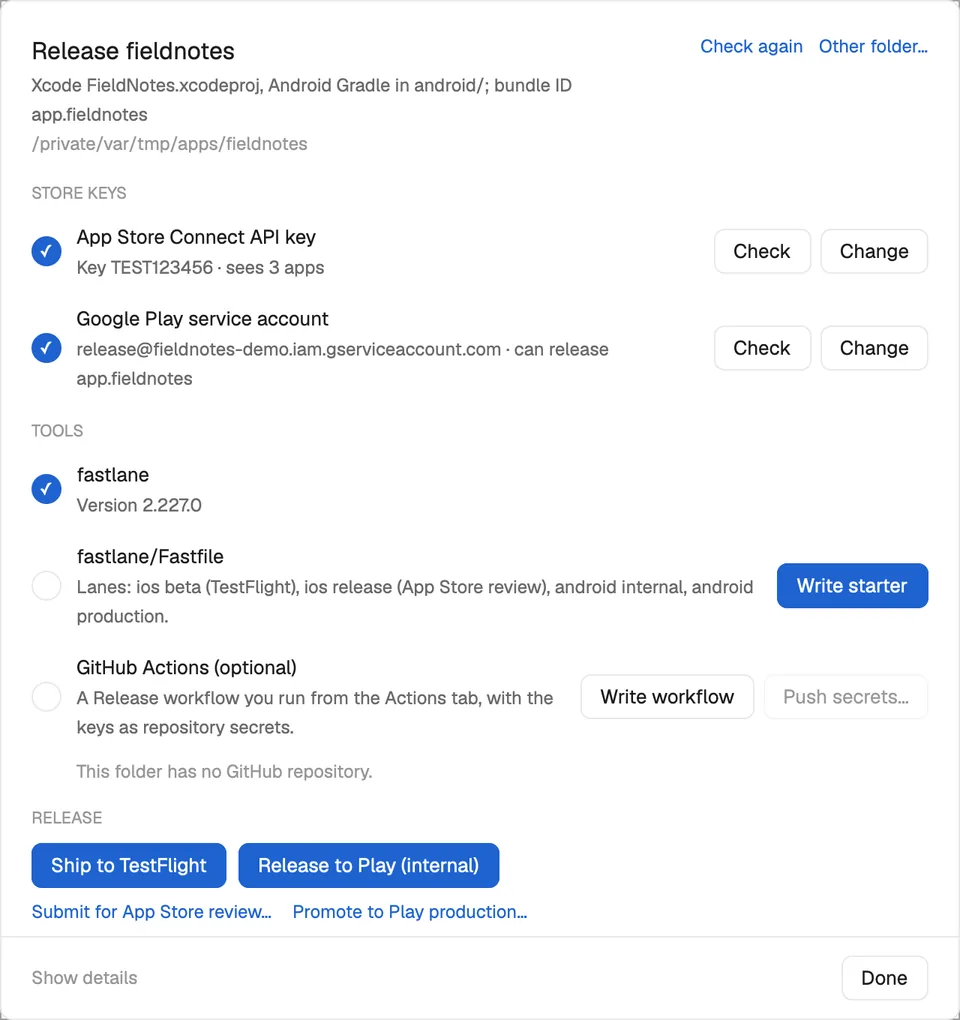
release is the Release dialog (the space menu's Release…, mod.open:release, or openOverlay({mod: "release", kind: "dialog", width: 640, height: 680, props: {space, folder?}})). It finds the app in the folder (Xcode, Expo, Android Gradle; bundle ID and package), then:
- Store keys, each checked with a read-only call before it's kept: an App Store Connect API key (the .p8 file dropped on the dialog or picked from
~/Downloads, its Key ID and Issuer ID; lists the team's apps), a Google Play service account (its JSON; gets a token and reads the app's reviews to see it has access) and, for Expo, the EAS sign-in (eas loginin a tab). Keys go into the macOS Keychain, servicewoolshed-release, accountsasc:<key id>,play:<email>,expo:token. Shared"release.keys"keeps only what isn't secret (key IDs, issuer, emails, the last check);"release.projects"which keys a project folder uses. - Tools: installs fastlane (Homebrew) or EAS CLI (npm), writes a starter
fastlane/Fastfile(lanesios betaTestFlight,ios releaseApp Store review,android internal,android production) oreas.json(build profiles with update channels, submit profilesproductionandstore), never over an existing file; and, if asked, a GitHub Actions workflow (.github/workflows/release.yml, run by hand) and its secrets, pushed only after the person confirms the list:ASC_KEY_ID,ASC_ISSUER_ID,ASC_KEY_P8_BASE64,PLAY_JSON_KEY_BASE64,EXPO_TOKEN. - Release buttons: Ship to TestFlight, Release to Play (internal), Push OTA update (Expo), and Submit for App Store review…, Promote to Play production…. Each starts the person's agent in a tab of the project's space (
tab.newwith atask), which runs the lane and fixes what commonly fails (signing, build numbers and version codes, export compliance, missing screenshots and metadata).
How you release (asked to, or as one of those agents):
- Run every store command through the helper, which puts the keys in
./.release-keys(kept out of git and.easignore) only while the command runs and setsASC_KEY_ID,ASC_ISSUER_ID,ASC_KEY_PATH,SUPPLY_JSON_KEY,PLAY_JSON_KEY_PATH(andEXPO_TOKENwith--expo):bash ~/.config/woolshed/mods/release/release.sh with-keys --asc <key id>:<issuer id> -- fastlane ios beta bash ~/.config/woolshed/mods/release/release.sh with-keys --play <service account email> -- eas submit --platform android --profile production --latest --non-interactiverelease.sh status <folder>prints what the project is and which tools and keys it has; the key IDs and emails are in shared"release.keys". - Ask the person and wait for a clear yes before anything that goes to reviewers or every user: submitting for App Store review, releasing or promoting to Google Play production (or widening a rollout), publishing an EAS Update to the production channel, pushing secrets to a repository, making a signing key that can't be replaced, or changing the version people see. TestFlight, the Play internal track and the preview channel don't need asking; build numbers and version codes you may raise yourself.
- Never print, copy or commit a key or
./.release-keys, never put one on a command line, and never read one out of the Keychain yourself. - Google needs an app's first bundle uploaded by hand in Play Console, and App Store Connect apps are created on its website: tell the person, with the file or bundle ID.
Your agents read these same words: Woolshed writes this guide to ~/.config/woolshed/AGENTS.md on every start. In it, “you” is the agent and “the person” is you.