For app builders

From the first prompt to the App Store.

Woolshed does more than keep your agents in order. It starts your phone app, runs it beside the agent building it, ships it to the stores when you say so, and keeps an eye on its server.

New app · Device pane · Release · Server

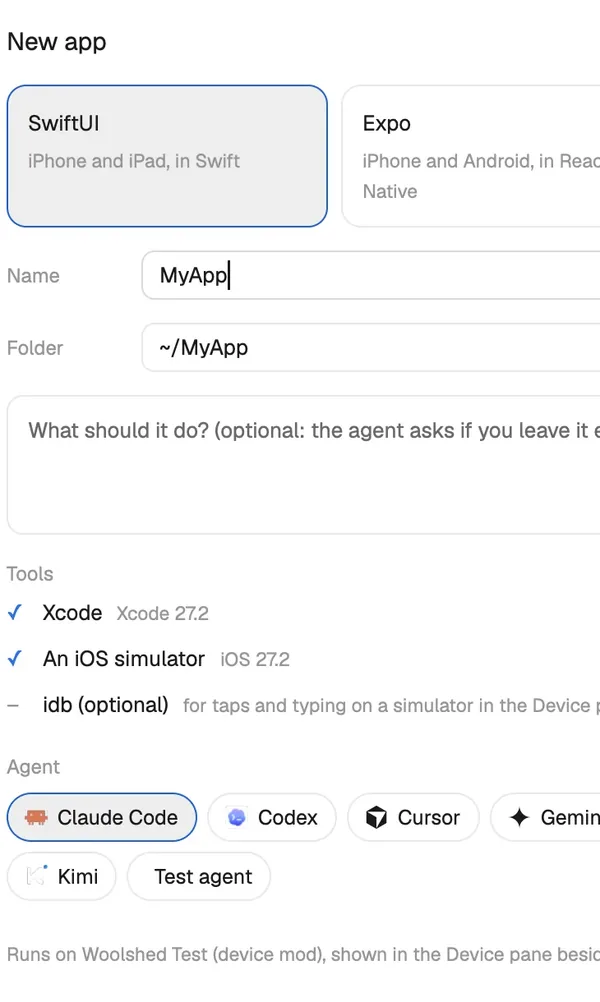
The New app sheet: pick SwiftUI, Expo or Jetpack Compose, a name and folder, what it should do, and which agent builds it, with Xcode and the iOS simulator checked.

New app

A phone app in one step.

New app… is on the start screen. Pick SwiftUI, Expo or Jetpack Compose, say what the app should do, and choose the agent that builds it.

  • Woolshed checks the tools first, and installs what’s missing in a tab you can watch: Xcode, the iOS simulator, Node, Android Studio, an emulator.
  • The project starts with a git commit and an AGENTS.md that tells your agent how to build, run and check it.
  • The simulator opens beside the agent and boots, so the first build lands in front of you.

SwiftUI on a Mac. Expo and Compose on Mac and Linux.
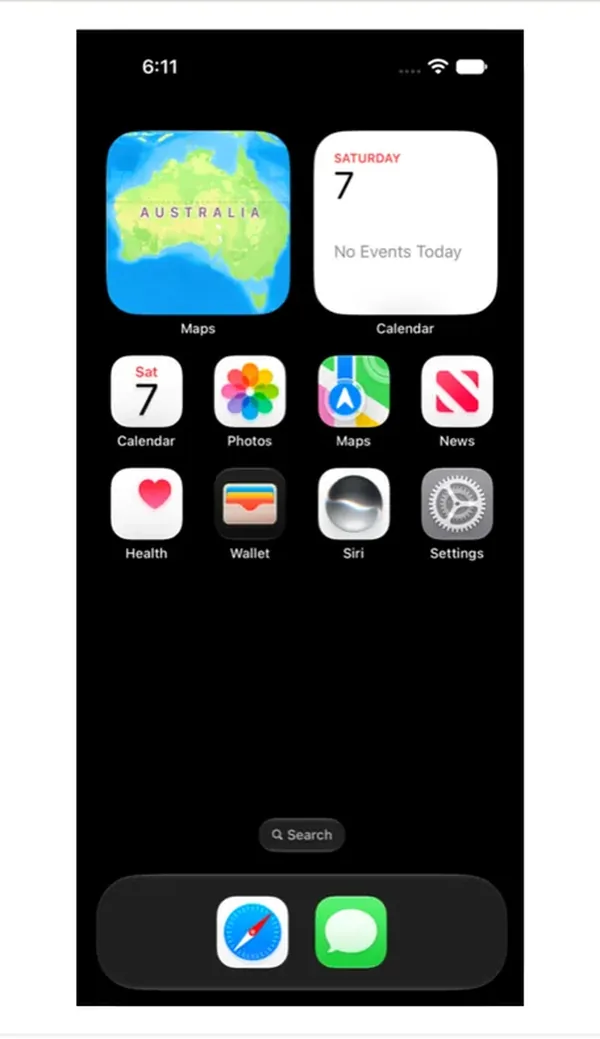
Woolshed’s Device pane showing a live iPhone simulator home screen next to the agents sidebar.

Device pane

Your app, beside your agent.

The Device pane shows an iOS simulator, an Android emulator or an Android phone on USB next to your agents, so you see what they build as they build it.

  • Click to tap, drag to swipe, type to type. Home, Back and Shut down are a click away.
  • Install & open puts the newest build from the project on the device.
  • Your agent uses the same device: it takes screenshots, taps, types and reads the screen’s accessibility tree to check its own work.

macOS and Linux. iOS simulators need a Mac.

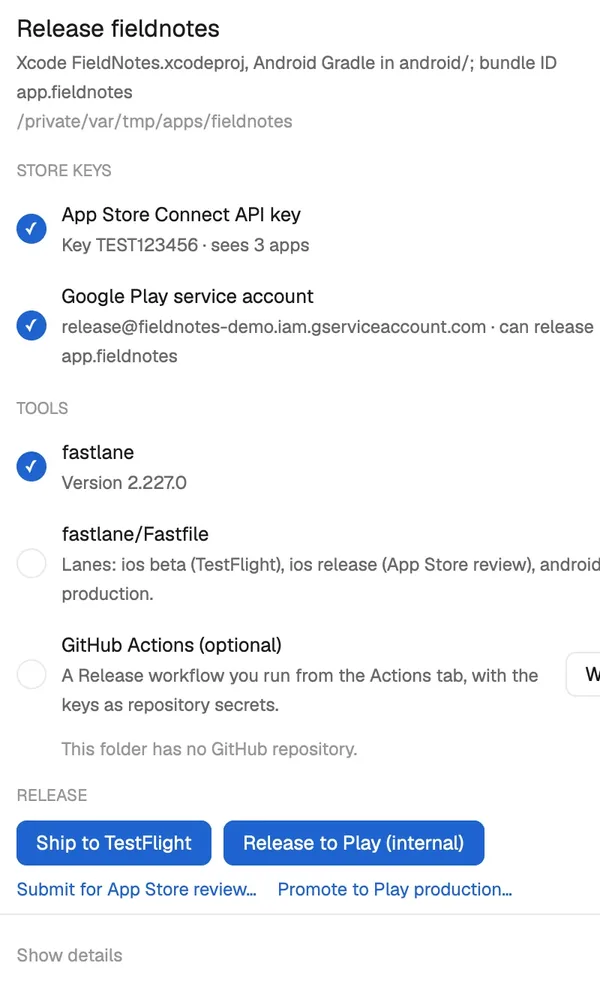
The release sheet for an app with its App Store Connect key and Google Play account checked, fastlane ready, and buttons to ship to TestFlight or release to Google Play.

Release

Straight to the stores.

Ship to TestFlight, release to Google Play’s internal track or push an Expo update from the space menu’s Release…. Your agent runs the build and fixes what commonly fails: signing, build numbers, export compliance, missing screenshots.

  • Store keys are checked with a read-only call, then kept in the macOS Keychain. They never go in the repo or on a command line.
  • Starter fastlane lanes or eas.json, and a GitHub Actions workflow if you want one, never written over a file you already have.
  • Your agent asks, and waits for a clear yes, before App Store review, Google Play production or a production update.

On a Mac.

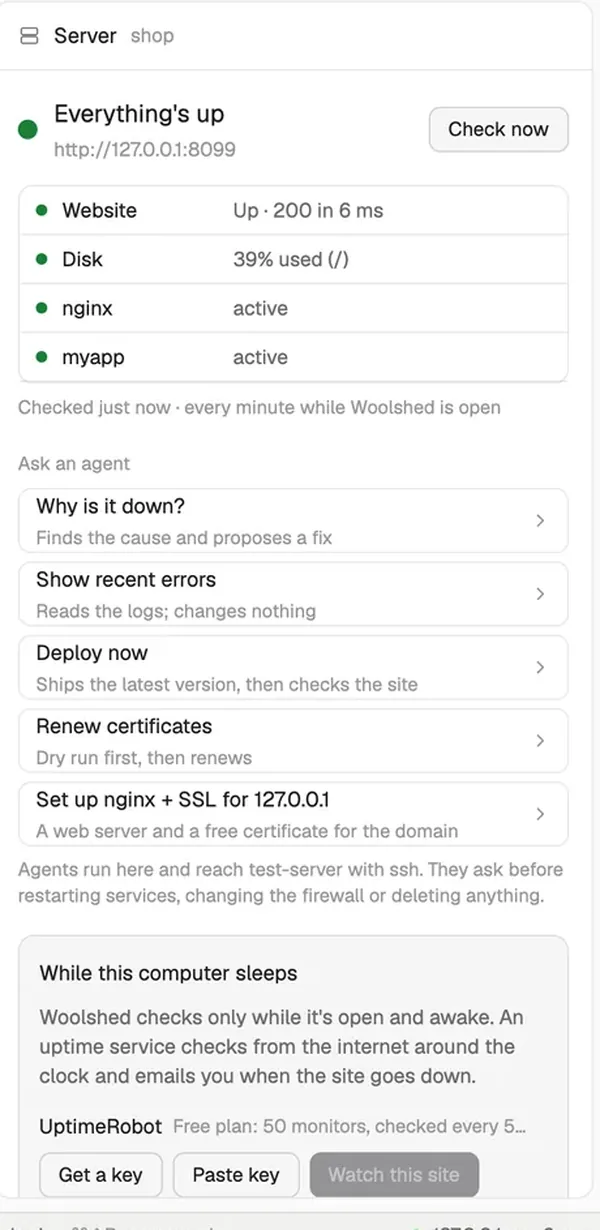
Woolshed with the Server panel open beside a terminal: everything is up, with the website, disk, nginx and the app each checked, and buttons to ask an agent why something is down, show recent errors or deploy.

Server

Is the site up?

Each project gets a Server panel: where it runs, how it deploys, and whether it’s up. Woolshed checks the website every minute and the disk and services every five, while it’s open, and tells you the moment something breaks.

  • One click starts an agent on the job: Why is it down?, Show recent errors, Deploy now, Renew certificates, Set up nginx and SSL.
  • The agent knows the server is live, and asks before restarting a service, changing a firewall or deleting anything.
  • For while your laptop sleeps, Woolshed sets up an UptimeRobot or Better Stack monitor, with the key kept in your Keychain.

Servers over SSH or AWS Systems Manager.

  • GitHub and GitLab. Clone or start a repo from the start screen. The status bar shows the branch’s pull request and its checks, and Add a deploy workflow writes one for your server, a Docker image or a static site.
  • Several agents on one app. One space per project, with its branch. Run a builder, a tester and a reviewer side by side, and let them message each other through the Mailbox.
  • On your phone, too. Check on a long build or answer an agent from the Woolshed phone app, sealed end to end, and free.
Do I need a Mac?

For iOS: SwiftUI apps, the iOS simulator and Release need a Mac. Expo and Jetpack Compose apps, Android emulators and the Device pane also work on Linux.

Will my agent publish to the stores by itself?

No. TestFlight, Google Play’s internal track and preview updates go when you press the button. Anything that reaches reviewers or every user waits for you to say yes, every time.

Where do my store keys go?

Into the macOS Keychain, after a read-only check that they work. Woolshed keeps only what isn’t secret, such as key IDs, and hands a key to a store command only while it runs.

Does it cost extra?

No. Everything on this page is part of Woolshed itself. Your agents use the plans you already pay for.