 Woolshed
Layouts and mods
Mods are small JavaScript programs that draw panels in the window. You don't have to write them: describe what you want to your agent.
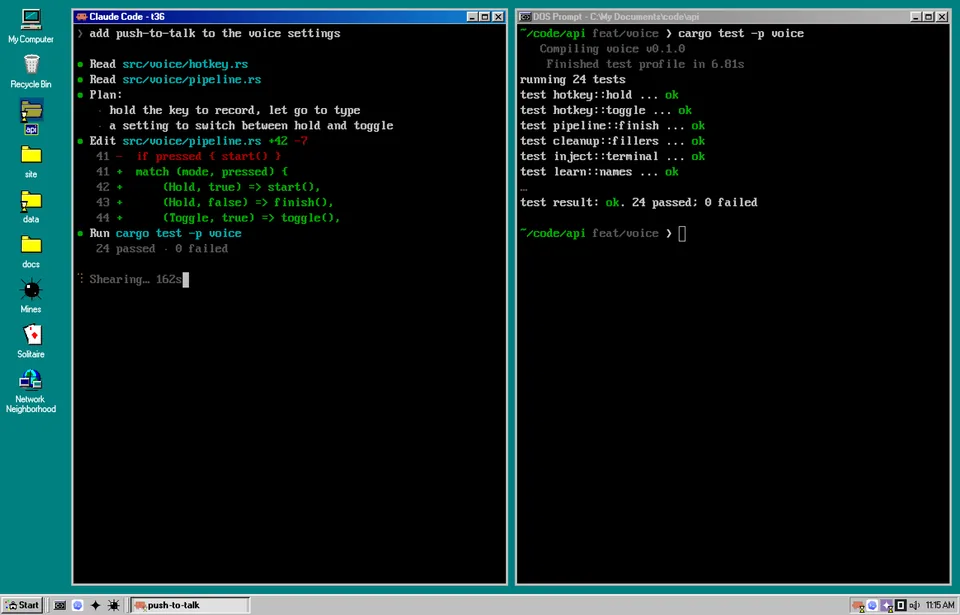
You can change the whole window, not just its colors. Layouts arrange it; mods draw the panels inside it.
Read the layout and mod pages. They come from the same guide Woolshed writes into your app home on every start, so people and agents work from one source of truth. It covers layouts, settings, keys, overlays, mod code and the app API. The generated woolshed.d.ts and gpui-kit.d.ts beside your installed guide describe the full API for your version.
Start with Settings for fonts, colors and sounds. For deeper changes, duplicate a shipped layout or mod from the command palette, then edit the copy. Shipped files update on start; personal copies do not. Save to reload. Check for errors, even when the old screen still looks fine.
woolshed check ~/.config/woolshed/mods/my-panel
woolshed status
The check loads a mod and renders it once. It does not replace looking at the result in the window.
Ask your agent
You don't have to write the code. Open an agent in Woolshed and describe what you want:
Read ~/.config/woolshed/AGENTS.md, then make me a layout where my agents
are cards in columns: needs you, working, done.
The guide tells the agent how to build it, check it and switch to it.
The gallery
The Woolshed gallery collects layouts and mods that people share. Every item has an address. Give one to an agent running in Woolshed:
Read ~/.config/woolshed/AGENTS.md, then add woolshed.dev/gallery/mods/<owner>/<name>An agent accepts a gallery page, woolshed.dev/gallery/layouts/<owner>/<name> or woolshed.dev/gallery/mods/<owner>/<name>, or a folder on GitHub, github.com/<owner>/<repo>/tree/<ref>/<folder>. For a gallery page it reads the item's manifest.json at the same address, which lists the item's files and the commit they come from, then fetches each file. It reads every file before adding anything, puts the layout or mod beside yours without overwriting them, and tells you what a mod runs.
Share yours
A layout or mod is a folder in a public GitHub repository:
| File | What it is |
|---|---|
RECIPE.md | What it is and how it behaves. |
preview.png | A screenshot of it. |
layouts/<name>.json | The layout, for a layout. |
mods/<name>/ | Each mod: main.js, an optional mod.json, and its assets. |
keys.json | Optional keys for a mod. |
Add the topic woolshed-layout or woolshed-mod to the repository and it shows up in the gallery. One repository can hold several items. Your agent can do all of it: ask it to publish your layout or mod to the Woolshed gallery.
Trust
Mods can run programs, read files and use the network. Gallery items are made by other people and are not reviewed. Only install code you trust. See security and privacy.