 Woolshed
How to run several coding agents at once without losing track
To run several coding agents at once, give each its own space, let one list show which of them is working, blocked or done, and keep their terminals in a service that outlives the window. That’s what Woolshed’s agents sidebar and Woolshed Core do.
One space per project
Start each agent in its own space: a project folder with its branch, its own tabs and split panes. A space can hold more than one agent, and a shell beside them for running the tests yourself. Agents run exactly as they would in any other terminal, with their own sign-ins and settings.
The agents sidebar: working, blocked, done, idle
Every agent, in every space and on every machine, shows in one list, grouped by what it’s doing:
- Needs you (blocked): it stopped to ask something, such as permission to run a command. These go to the top, in red, with what they’re asking.
- Working: still going.
- Done: finished while you looked elsewhere.
- Idle: nothing to do, or already seen.
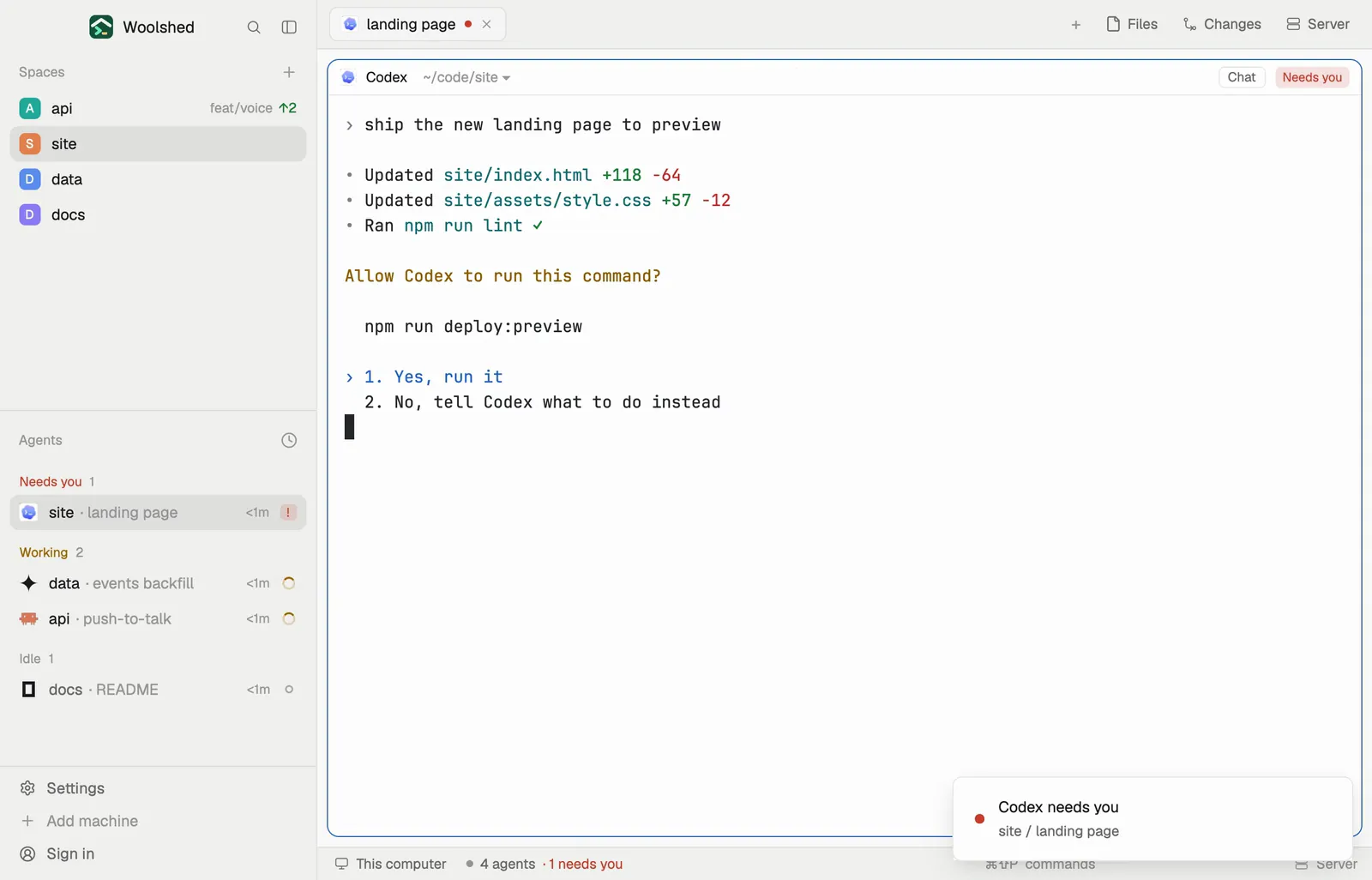
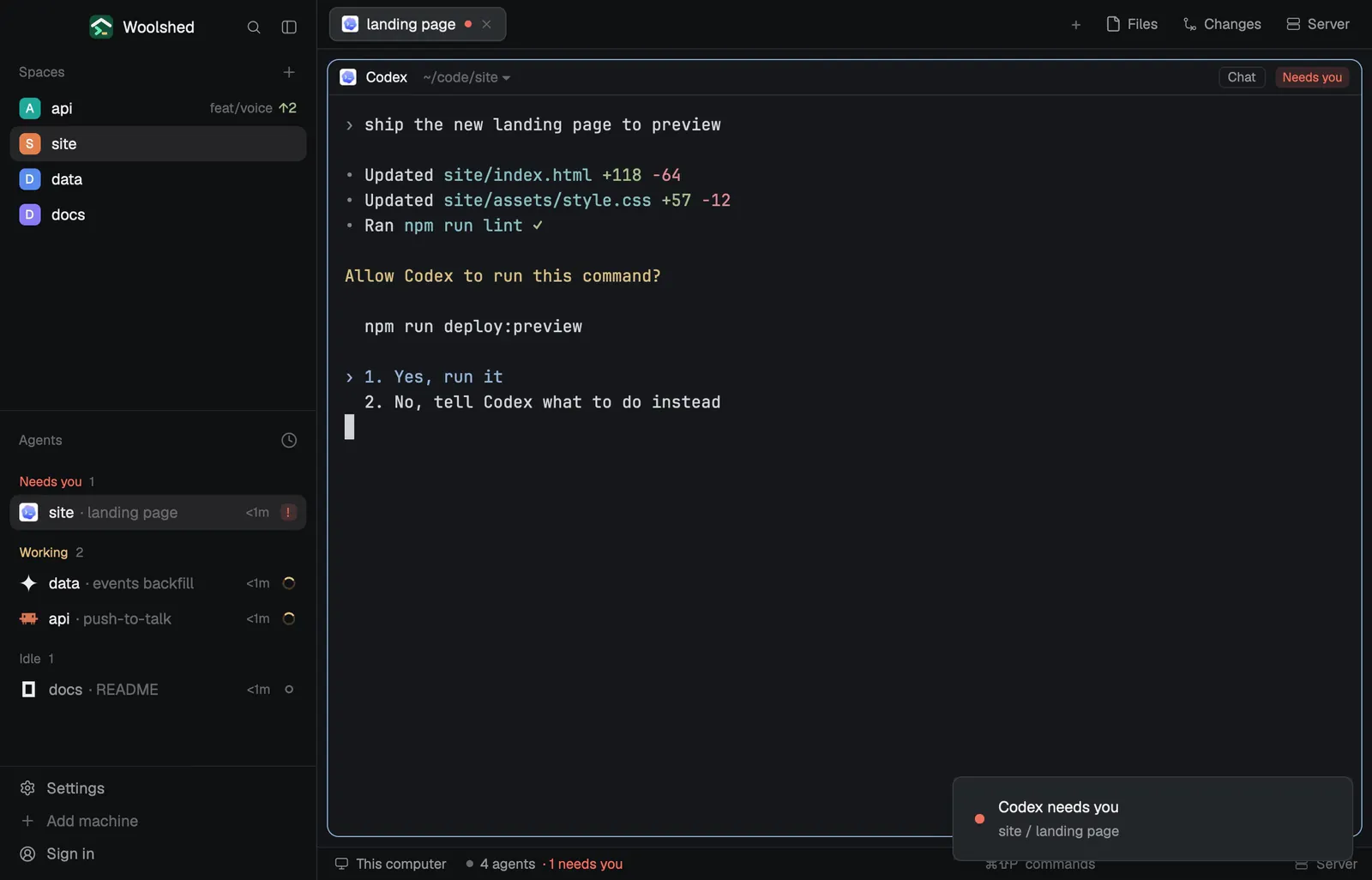
The status comes from the agent itself. Woolshed Core stores what an agent reports through the Program Status Protocol (OSC 7501); it doesn’t guess from what’s on screen. An agent that doesn’t report a status simply shows without one.
A nudge when one needs you
Looking at another agent, or another app? A sound and a note say which agent needs you, and clicking it takes you straight there. You can try it in the live demo: Codex stops to ask before it deploys.
Close the window. They keep going.
Terminals live in Woolshed Core, so closing the window or quitting Woolshed doesn’t stop them. When your Mac sleeps, everything on it pauses, agents included, and carries on when it wakes. For work that should keep going while your laptop is shut, run it on a machine you add over SSH: its agents join the same list.
Agents that start their own helpers
Agents can drive Woolshed Core themselves with the hc command: start a helper in the background, send it work, and wait for the answer. The helper shows up in your agents list like any other.
hc run --bg --name review claude
hc send review "check the auth changes"
hc wait review
How many at once?
Woolshed is free, with no limits on your computer: as many agents and accounts as you like. Your computers together and the phone app are free too.
Questions
How do I see which coding agent needs me?
In Woolshed, every agent shows in one sidebar grouped as needs you, working, done or idle. Agents waiting for an answer go to the top, with what they're asking.
Do my agents stop when I close Woolshed?
No. Terminals run in Woolshed Core, a service inside the app, so agents keep working when the window is closed. When the computer sleeps they pause with it.
 Woolshed for iPhone and Android is out
 Agents that message each other: the Woolshed Mailbox